> For the complete documentation index, see [llms.txt](https://docs.softhub.vn/llms.txt). Markdown versions of documentation pages are available by appending `.md` to page URLs; this page is available as [Markdown](https://docs.softhub.vn/social-viral-content/huong-dan-su-dung/quan-ly-tai-khoan/them-xoa-proxy.md).
# Thêm/Xóa proxy
**Lợi ích :**
* Tạo ip riêng biệt cho tài khoản nhằm tránh bị các nền tảng phát hiện.
* Tránh bị trùng ip khi nuôi số lượng lớn tài khoản.
**Hướng dẫn sử dụng :**
* Chuẩn bị file txt chứa [proxy](/social-viral-content/thu-vien-thong-tin/proxy-la-gi.md), mỗi dòng chứa một proxy, hãy copy những proxy cần gán cho các tài khoản.
\- Proxy trên hệ thống đang hỗ trợ các định dạng:
ip:port và ip:port:user:pass
VD:
118.70.12.171:53281
27.72.244.228:8080
42.119.68.9:30037:admin:12345
103.200.20.56:3128:admin:12345
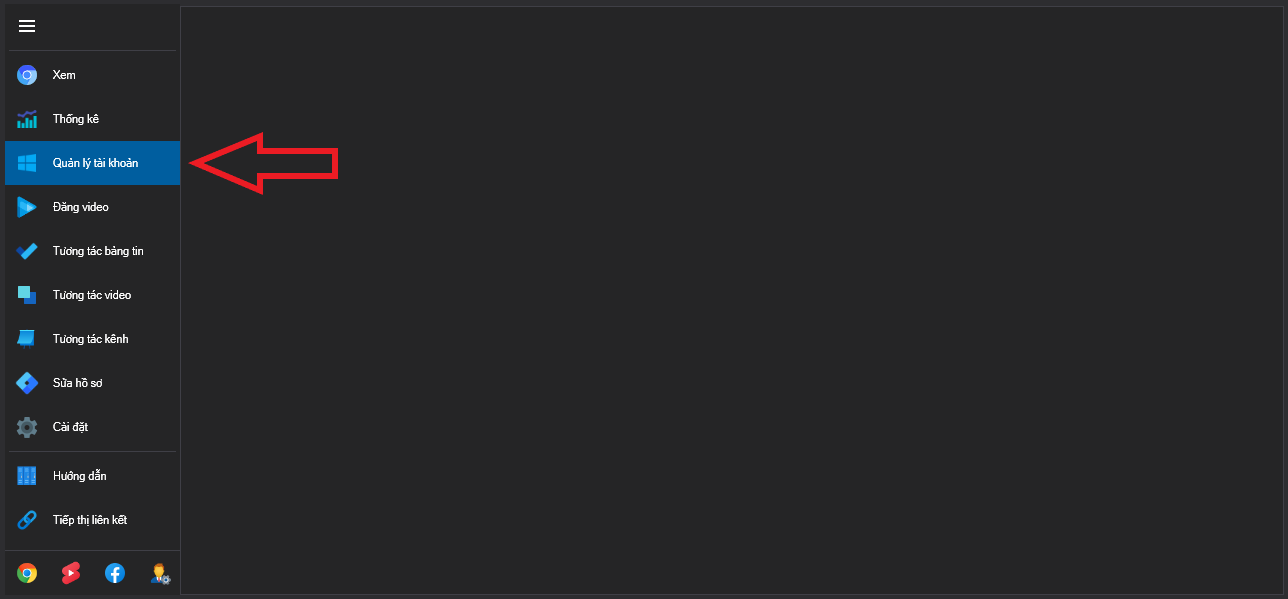
* Chọn vào tính năng [Quản lý tài khoản.](broken://pages/f0nkezOwxJqFjB1IbcG0)
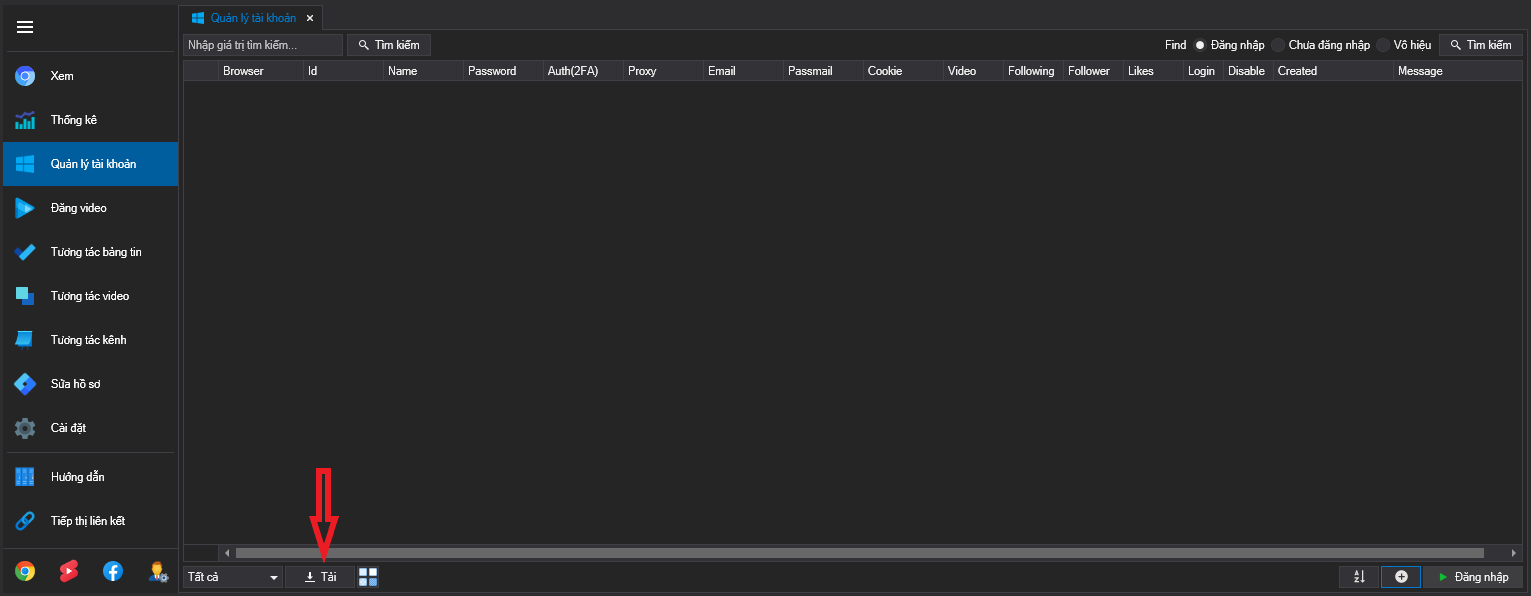
* Chọn vào Tải để load toàn bộ tài khoản hiện có.
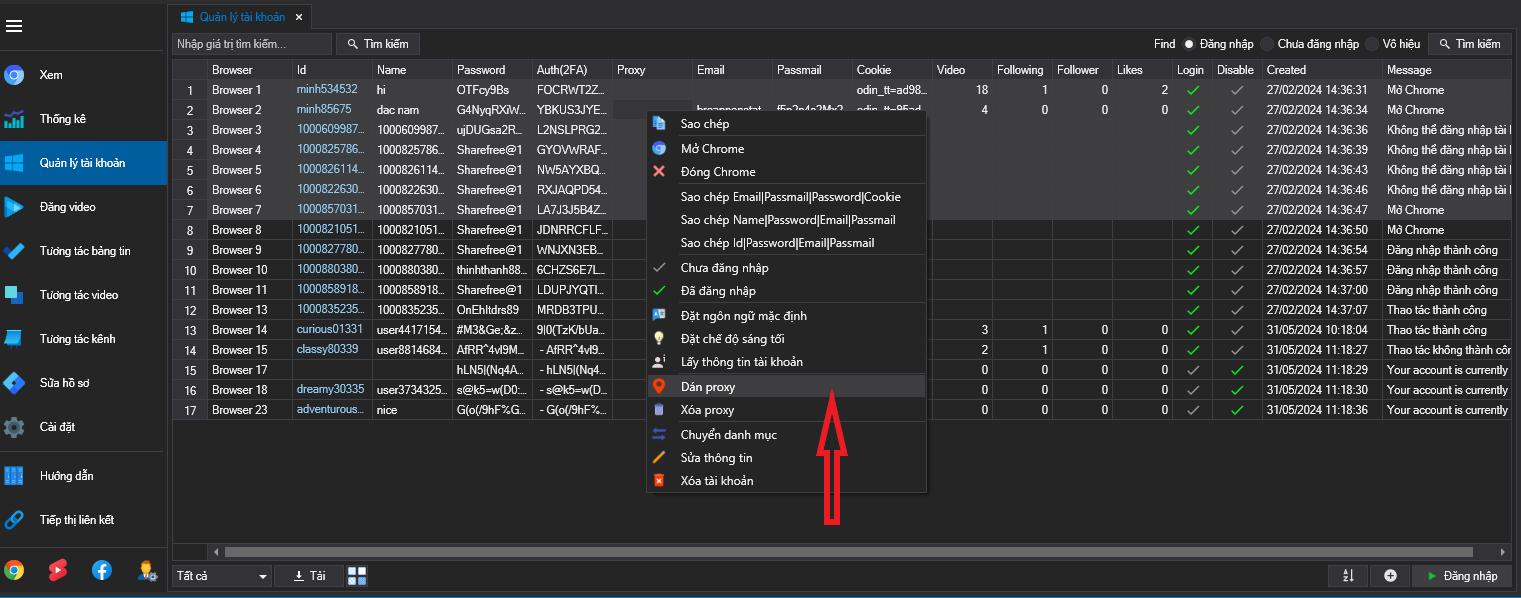
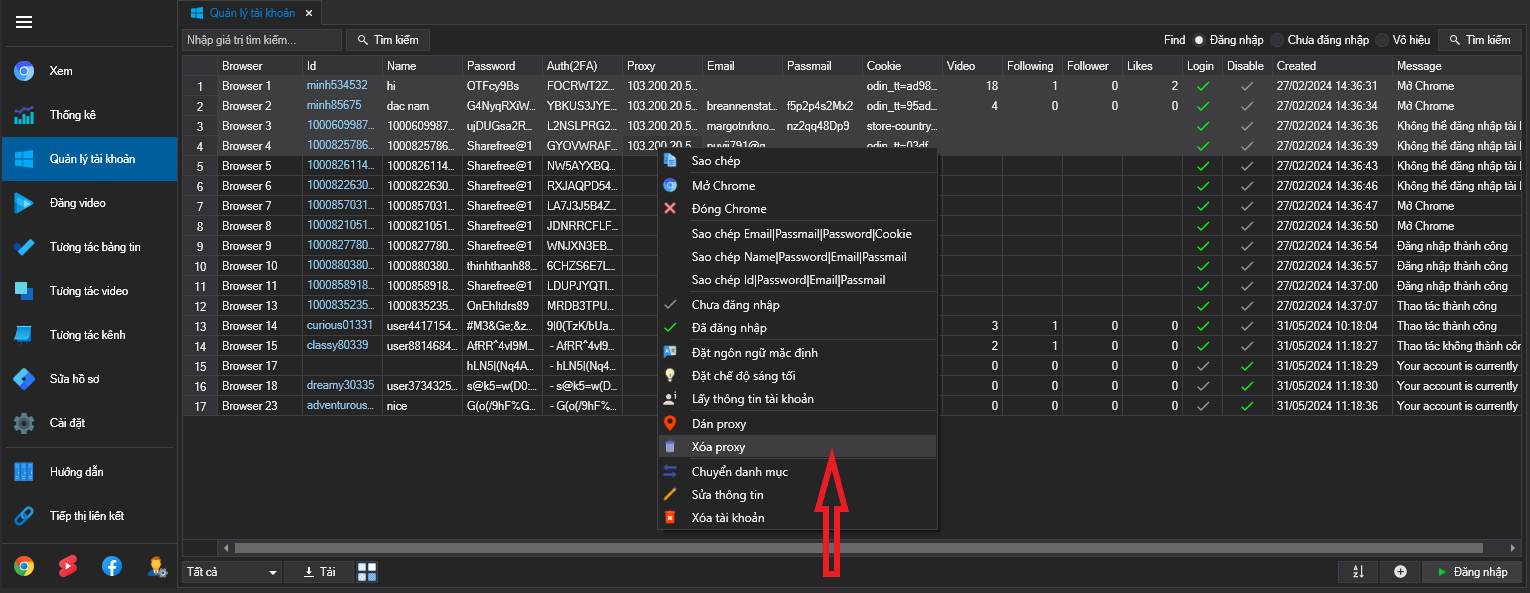
* Chọn các tài khoản đang muốn gán proxy và chuột phải, sau đó chọn tiếp vào Dán proxy.
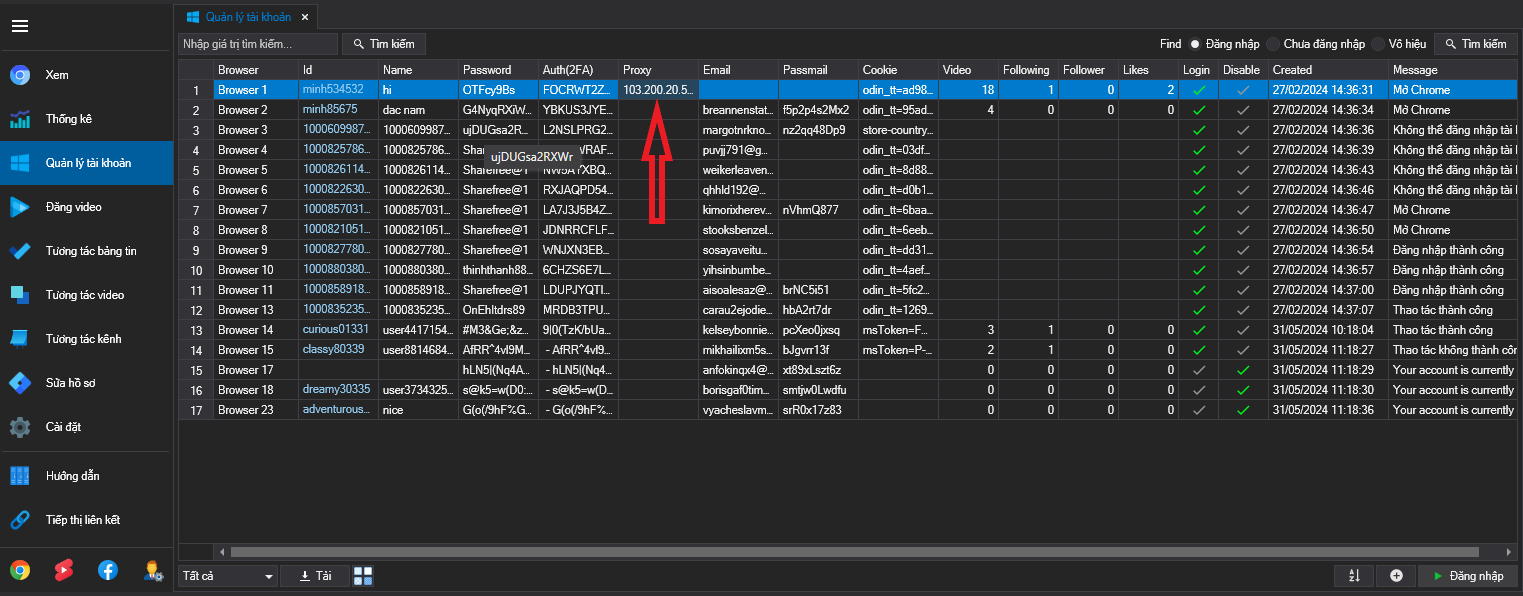
* Khi ô proxy của tài khoản hiện proxy đã gán là thành công.
* Xóa proxy bằng cách chọn các tài khoản muốn xóa, chuột phải và chọn vào xóa Proxy.