> For the complete documentation index, see [llms.txt](https://docs.softhub.vn/llms.txt). Markdown versions of documentation pages are available by appending `.md` to page URLs; this page is available as [Markdown](https://docs.softhub.vn/huong-dan-su-dung/chuc-nang-fanpage/danh-gia.md).

# Đánh giá

**Lợi ích :**

* Xây dựng thương hiệu sẽ bền vững, phát triển lâu dài.
* Xây dựng lòng tin đối với khách hàng với những đánh giá tích cực cho Fanpage.
* Là bộ mặt cho sản phẩm, thương hiệu của mình, tạo uy tín khi kinh doanh online.

**Hướng dẫn sử dụng :**

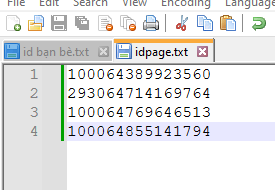
* Chuẩn bị id Fanpage đang muốn chạy ra file txt, mỗi dòng là một id.

<figure><img src="/files/MTbv40osjP6gB7DTvSdF" alt=""><figcaption></figcaption></figure>

* &#x20;Chuẩn bị file txt chứa nội dung đánh giá, mỗi dòng là một nội dung khác nhau.

\- Lưu ý : nội dung soạn trong dấu { }  và mỗi nỗi dung kết thúc bằng dấu |&#x20;

<figure><img src="/files/k9wQBtZAebBPuIA24e3I" alt=""><figcaption></figcaption></figure>

* Truy cập vào hệ thống chọn vào mục [Chức năng fanpage](/huong-dan-su-dung/chuc-nang-fanpage.md)  và chọn tiếp vào tính năng [Đánh giá](/huong-dan-su-dung/chuc-nang-fanpage/danh-gia.md).

<figure><img src="/files/wbzp7KipGPjKKDZ5ah8x" alt=""><figcaption></figcaption></figure>

* Tải danh mục tài khoản muốn tương tác lên.

<figure><img src="/files/HtIMZvHjNpxYpz5iYN1q" alt=""><figcaption></figcaption></figure>

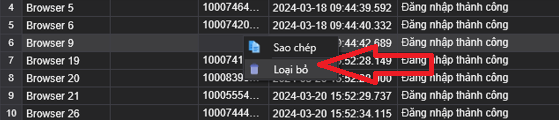
* Tài khoản nào không muốn cho đi tương tác thì chuột phải vào tài khoản đó và chọn vào loại bỏ.

<figure><img src="/files/fAhlJucWXT05thag1G3d" alt=""><figcaption></figcaption></figure>

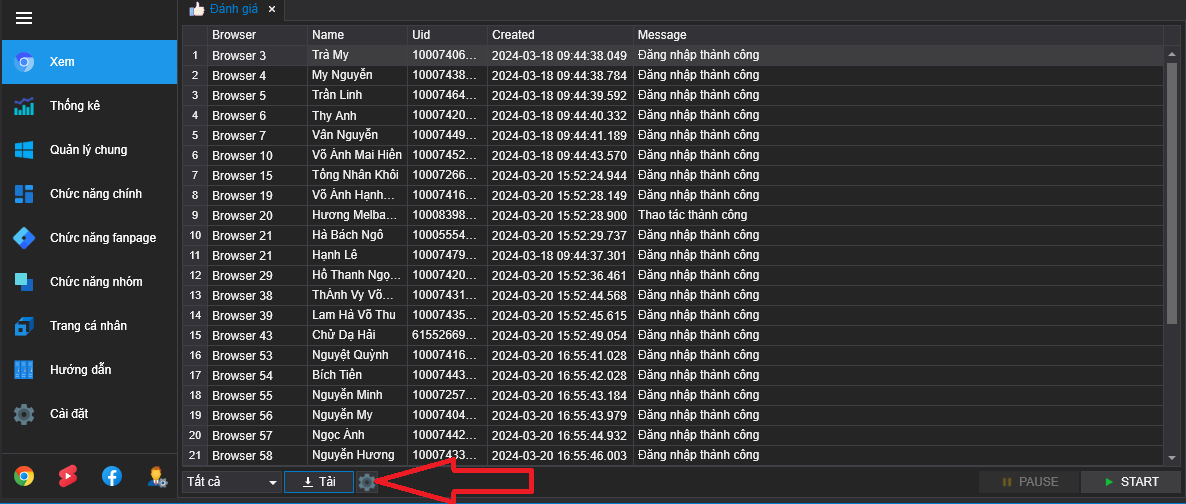
* Chọn vào biểu tượng cài đặt để cấu hình.

<figure><img src="/files/gWGB4QYbuZ1Bu9pLNTqo" alt=""><figcaption></figcaption></figure>

* Cấu hình cho tính năng :

<figure><img src="/files/HfsqVRe4ofsTmhiDqF9f" alt=""><figcaption></figcaption></figure>

\- Trang : click vào ô chọn File và gán file txt chứa id page đang muốn đánh giá.

\- Đánh giá : click vào ô chọn File và gán file txt chứa nội dung muốn đánh giá.

\- Đề nghị : đề xuất page và hiển thị bài đánh giá công khai.

\- Số luồng : số tài khoản muốn chạy trong cùng một lúc là bao nhiêu.

\- Lưu : lưu lại bảng cài đặt.

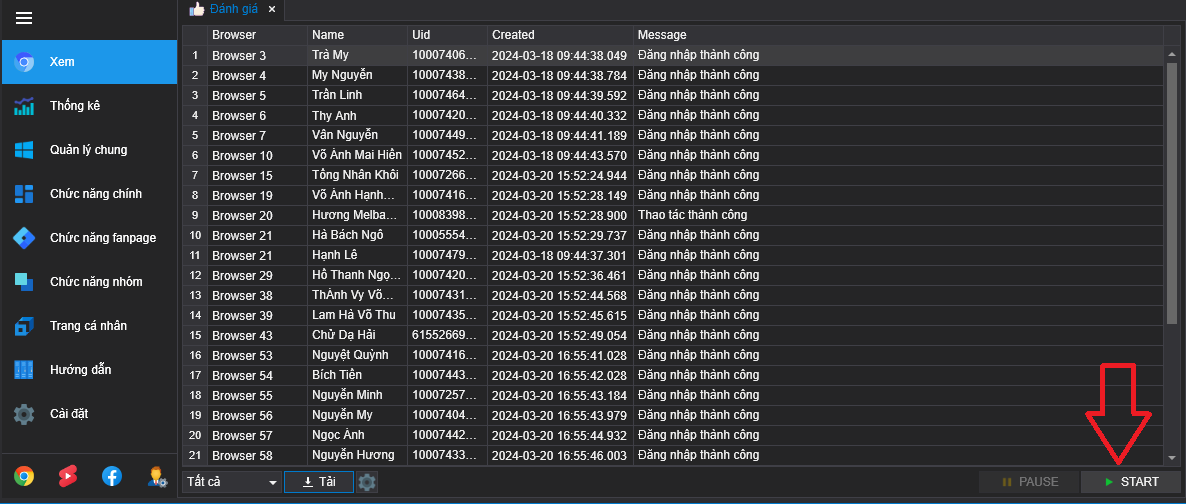
* Cấu hình xong thì chọn vào ô Start để bắt đầu chạy.

<figure><img src="/files/9k0cov0cX7N1nELX5hAP" alt=""><figcaption></figcaption></figure>

* Video hướng dẫn [tăng đánh giá trang](/huong-dan-su-dung/chuc-nang-fanpage/danh-gia.md) :&#x20;

{% embed url="<https://www.youtube.com/watch?v=CTCgxX2XzZc>" %}


---

# Agent Instructions
This documentation is published with GitBook. GitBook is the documentation platform designed so that both humans and AI agents can read, navigate, and reason over technical content effectively. Learn more at gitbook.com.

## Querying This Documentation
If you need additional information that is not directly available in this page, you can query the documentation dynamically by asking a question.

Perform an HTTP GET request on the current page URL with the `ask` query parameter, and the optional `goal` query parameter:

```
GET https://docs.softhub.vn/huong-dan-su-dung/chuc-nang-fanpage/danh-gia.md?ask=<question>&goal=<endgoal>
```

`ask` is the immediate question: it should be specific, self-contained, and written in natural language.
`goal` is optional and describes the broader end goal you are ultimately trying to accomplish on behalf of the user. GitBook uses it to tailor the answer towards what is most useful for that goal.

The response will contain a direct answer to the question and relevant excerpts and sources from the documentation.

Use this mechanism when the answer is not explicitly present in the current page, you need clarification or additional context, or you want to retrieve related documentation sections.